Rummy App Permissions: A Practical Reading
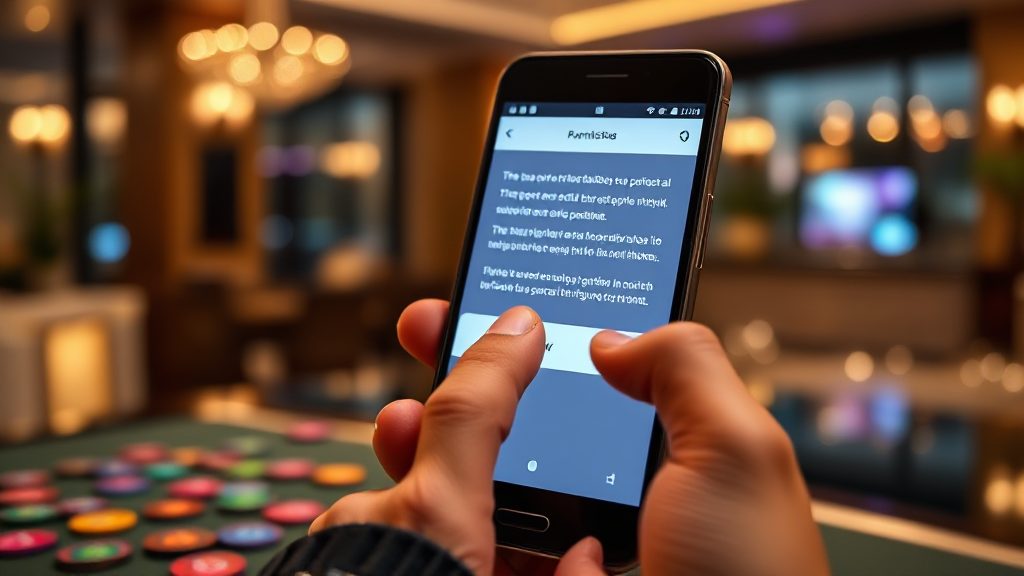
You tap Install, a permissions panel slides up, and your thumb is already moving toward Allow. That moment is where most people give an app more access than they intended. If you are considering the Ok Rummy Online APP, the useful question is not whether it asks for permissions — nearly every card game app does — but which ones it asks for and whether each request makes sense for a rummy table.
This is a permission-by-permission reading. It explains what common Android and iOS prompts actually control, which requests are ordinary for a card game, which deserve a second look, and how to reach a decision without guessing.
Why a card game app asks for permissions at all
A rummy app is not just a pack of cards on a screen. It needs a network connection to deal hands and sync turns, storage to cache assets and update itself, and some way to keep your session alive when you switch apps. Each of those needs maps to a permission category, and the app’s developer decides which categories to request.
The practical point: a permission request is a capability, not a verdict. The same prompt can be reasonable for one app and excessive for another depending on what the app actually does with it. A rummy app that only plays cards has little reason to read your contacts; one that adds a friend-invite feature might. Your job is to connect the request to a feature you can see.
Independent directories that list and compare rummy apps often note these details in their listings. Browsing reviews on Top Rummy Board before installing gives you a baseline for what similar apps request, so an unusual prompt stands out instead of blending in.
The permission-by-permission reading
Below are the categories you are most likely to meet on the install screen or the first time you open a rummy app, with a plain reading of each.
Network and internet access
This is the one request a real-money or multiplayer rummy app cannot function without. It covers connecting to game servers, downloading card assets, and syncing your turn with other players. On Android it is usually granted automatically at install; on iOS it is implicit. If an app asks for nothing else unusual, this alone is not a warning sign.
Storage and files
Storage access lets the app cache images, save game logs, and download updates without going through the store each time. It is common and usually low-risk in the “app-specific” form modern Android uses. The broader “all files” variant deserves a pause: a card game rarely needs to see your photos or documents, so check whether the app offers a narrower option or asks only when you export a screenshot or log.
Notifications
Notifications are how an app tells you a turn is waiting or a table is about to start. They are optional and revocable at any time in system settings. If you find them noisy, turn them off rather than uninstalling — this permission has no bearing on whether the app can deal cards.
Contacts
Contacts access is the request that most often surprises rummy players. It is legitimate only if the app has a visible “invite friends” or “find players you know” feature. If you cannot find such a feature in the app, or the prompt appears before you have used one, that is a mismatch worth questioning. Contacts access is rarely essential for playing cards, and denying it usually costs you nothing but the invite feature.
Phone state and device identifiers
Older Android apps requested phone-state access to read the device ID for anti-fraud and account binding. Modern Android replaced much of this with scoped identifiers, so a fresh request for call or phone-state data on a card game is a legacy pattern. It is not automatically malicious, but it is a signal to check when the app was last updated and whether the store listing explains the need.
Camera and microphone
These appear if the app supports video chat, voice tables, or profile photos. Rummy is usually a text-and-cards experience, so camera and microphone access should be optional and prompted only when you start the relevant feature. A prompt at first launch, before any such feature is visible, is premature. You can grant them later, per use, on both major platforms.
Location
Location is requested by apps that need to confirm regional eligibility or show nearby tables. For a card game, precise GPS is rarely necessary; a coarse region is usually enough. If the app insists on precise location with no explanation, treat that as a reason to read the store listing and the app’s own privacy notes before proceeding.
Reading the install screen instead of tapping through
The install screen is a summary, not the full picture. On Android, the Play Store listing shows a “Data safety” section and an app-permissions summary; on iOS, the App Store page shows an “App Privacy” panel with data types the developer reports collecting. These panels are the fastest way to see whether the requests match the app’s stated purpose.
Three habits make the reading quick:
- Match each prompt to a feature you can name. If you cannot name the feature, deny and test.
- Prefer “While using the app” over “Always” for location, and deny anything you do not need today.
- Revisit permissions after a week. Settings show what was actually used, which is more honest than the install prompt.
It also helps to compare the app against peers. A directory that lists features and practical details side by side lets you see whether a request is standard for the category or unusual for this one app. Ok Rummy Online APP comparisons of this kind are more useful than a single store page in isolation.
Common mistakes and the trade-offs behind each choice
The most common mistake is treating “Allow” as the only path forward. On both platforms, denying a permission usually leaves the core game playable and disables only the related feature. You can grant it later from settings if you decide the feature is worth it.
The second mistake is granting broad access to save a few taps. Broad storage or contacts access is convenient for the developer and rarely necessary for you. The trade-off is simple: a slightly less convenient app versus a wider data surface you have to trust.
The third mistake is ignoring updates. Permissions can change between versions, and a new prompt after an update is worth re-reading rather than reflexively allowing. Check the “What’s new” notes for a line about new features that would explain a new request.
Finally, remember that permissions are not the whole privacy story. Data an app collects through its own account system, analytics, and server logs is governed by its privacy policy, not the install prompt. Read that policy at least once, and check the app’s current terms and eligibility rules, which vary by region.
A short decision framework before you install
Use this sequence each time a rummy app asks for access. It takes about a minute and replaces the reflex tap.
- Name the feature. If you cannot connect the permission to something visible in the app, deny it for now.
- Check the store’s data panel. Compare the reported data types with the app’s purpose.
- Start minimal. Grant only what the first session needs; add permissions later, per feature.
- Review after a week. Open system settings, see what was used, and revoke anything unused.
- Re-check after updates. New versions can introduce new requests; read before allowing.
The underlying rule is simple: grant access when a feature earns it, not when a prompt demands it. That single habit covers most of the risk without turning app setup into a research project.
Frequently asked questions
Is it safe to deny permissions to a rummy app?
Usually yes. Denying a permission disables the related feature, not the game itself. Network access is the exception — a multiplayer rummy app cannot deal hands without it, and on most phones that permission is granted automatically.
Why does a card game ask for contacts access?
Typically for a friend-invite or “find players you know” feature. If you cannot find that feature in the app, or the prompt appears before you use it, treat the request as optional and deny it. You can enable it later if the feature turns out to matter to you.
Do permissions change after an app update?
They can. New features sometimes require new access, and the prompt may appear after an update rather than at install. Check the update notes for a line explaining the new feature, and re-read the request before allowing it.
Where can I compare what different rummy apps request?
Store data-safety panels are the primary source, and independent directories that list app features and practical details can help you spot requests that are unusual for the category. Comparing two or three listings before installing is faster than auditing an app after the fact.